Punkster Inc Technical Documentation
This site provides internal architecture and application overview for Punkster's financial apps.
DogeCoiner IO
This is a crypto portfolio management app.
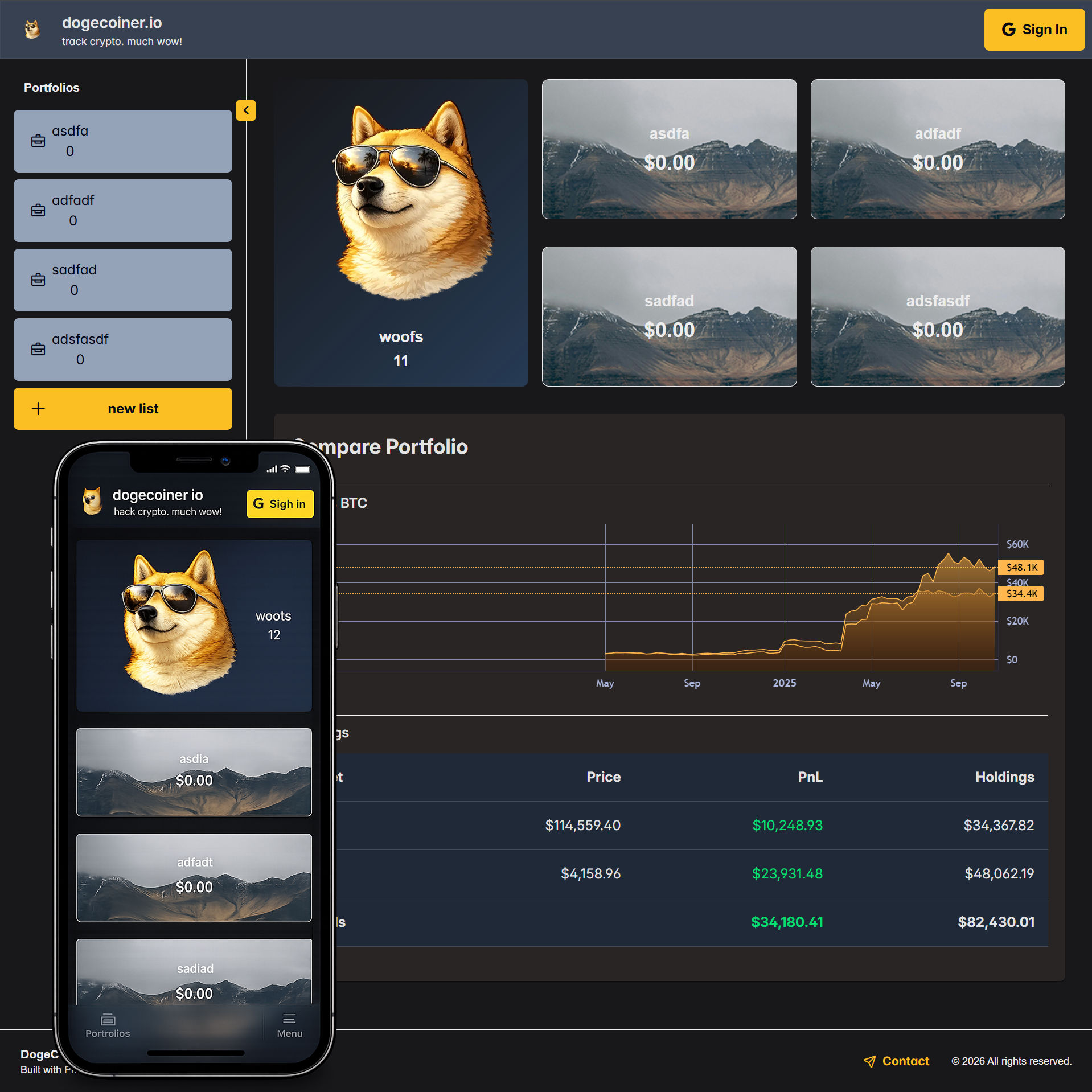
It's split up into the following client/server sub-systems.
flowchart LR
    A[Front End UI<br>_dogecoiner.punksterinc.com_] <--> G[Google Login]
    A <--> S1;

    subgraph S1[ ]
        direction TB
        B[DogeCoiner API<br>_dogecoiner-api.punksterinc.com_] <--> C[(DogeCoiner DB)];
    end
    S1 <--> D[3rd party API<br>_bitunix.com_];
This is an evolving platform that I deploy publicly as I make progress.
So far I've built out some end to end infrastructure deployed to these subdomains:
- dogecoiner-api.punksterinc.com - A working Asp.Net API that serves historical price data from my own DB.
- dogecoiner.punksterinc.com - A front end that uses the lightweight TradingView chart control for basic charting of crypto price data and simple portfolio data. I toggle code for API connectivity, relying more on dummy data until I build out more of the UI.
The different subsystems are detailed below.
DogeCoiner-UI
This is a responsive React front end for creating and tracking portfolios.
This is also its own client/server stack using Next.js.
flowchart LR
    G[Google Login] <--> S1
    subgraph S1[_dogecoiner.punksterinc.com_]
        A[React Client] <--> B[Next.js];
    end
    B <--> D[_dogecoiner-api.punksterinc.com_];
This allows for
-
improved API security
- the client only talks to the Next.js Node API simplifying CORS
- the Next.js Node server securely connects to the DogeCoiner API
-
smaller client payloads
-
and optimized SSR features
- Next.js basically works like an Asp.Net SSR Razor web app, but with full benefits of SPA development
Since it's a full client/server on its own, I've opted to deploy the front end to its own subdomain.
The UI allows Google login with NextAuth.js.
- users login with Google in the UI
- NextAuth generates its own JWE cookies that last 1 month
- auth cookies are proxied to the API and used as secure user sessions
DogeCoiner-API
This is an API for serving crypto price history and user portfolio data.
It is secured with JWE tokens proxied from the UI.
- users login with Google in the UI
- auth tokens are proxied to the API and used as secure user sessions
So far, it can serve price history.
My app needs historical crypto price data. There are various free and paid 3rd party APIs that can provide it in real-time, with trading platforms usually having their own public APIs. For anything other than current real-time prices, historical price data is static after it's generated in the market. So I opt to store my own price history that I update periodically from 3rd party APIs. I'm currently getting price data from the Bitunix exchange public API.
flowchart RL
    S1 <--> G[Auth JWE Token]

    subgraph S1[ ]
        direction TB
        B[DogeCoiner API] <--> C[(DB)];
    end

D[3rd party API<br>_bitunix.com_] --> S1;DogeCoiner-DB
This is the database that stores crypto price history and user portfolios.
DogeCoiner DB Schema
erDiagram
    direction LR
    Users {
        bigint UserId PK
        string Email
        string FirstName
        string LastName
        string Picture
        string ProviderSub
        string ProviderName
    }
    Portfolios {
        bigint PortfolioId PK
        bigint UserId FK
        string PortfolioName
    }
    Transactions {
        bigint TransactionId PK
        bigint PortfolioId FK
        string Symbol
        string TransactionType
        decimal Quantity
        decimal Price
        date TimestampUtc
    }
    KLines[KLines] {
        bigint KLineId PK
        string Symbol UK
        string Interval UK
        date Timestamp UK
        decimal OpenPrice
        decimal HighPrice
        decimal LowPrice
        decimal ClosePrice
        decimal Volume
    }
    Users ||--o{ Portfolios : own
    Portfolios ||--o{ Transactions : have